AVA OS 3 expands smart home control with Hue, KNX and Crestron
The free September update adds interface design tools, wider lighting compatibility and encrypted project backups, alongside new configuration and support functions for professional installers.

By Eleanor Voss ·
Editor-in-Chief
AVA has announced AVA OS 3, a free software update scheduled for 15 September 2026 that brings more than 100 additions and changes to its professional control platform. The release expands system compatibility and gives installers more control over interface design, while adding encrypted project backup and tools for installation and support.
Key facts
- AVA OS 3 launches on 15 September 2026 as a free over-the-air update for compatible systems.
- A visual Custom UI Builder lets installers modify automatically generated interfaces.
- Crestron Home integration synchronises control states between Cinema Remote and Crestron touchscreens.
- Philips Hue integration includes dimming, colour adjustment and Dynamic Keypad controls.
- KNX leaves beta, while Lutron compatibility adds Caséta and RadioRA 2.
- Encrypted backups retain device configurations and authenticated drivers when restored to different AVA hardware.
What happened
AVA has announced the third version of its professional smart home operating system, bringing more than 100 changes across control, configuration, integration and servicing. AVA OS 3 combines wider compatibility with additional ways for installers to tailor the controls presented to clients. The company describes a release spanning both the user-facing experience and the tools professionals use to build and maintain projects.
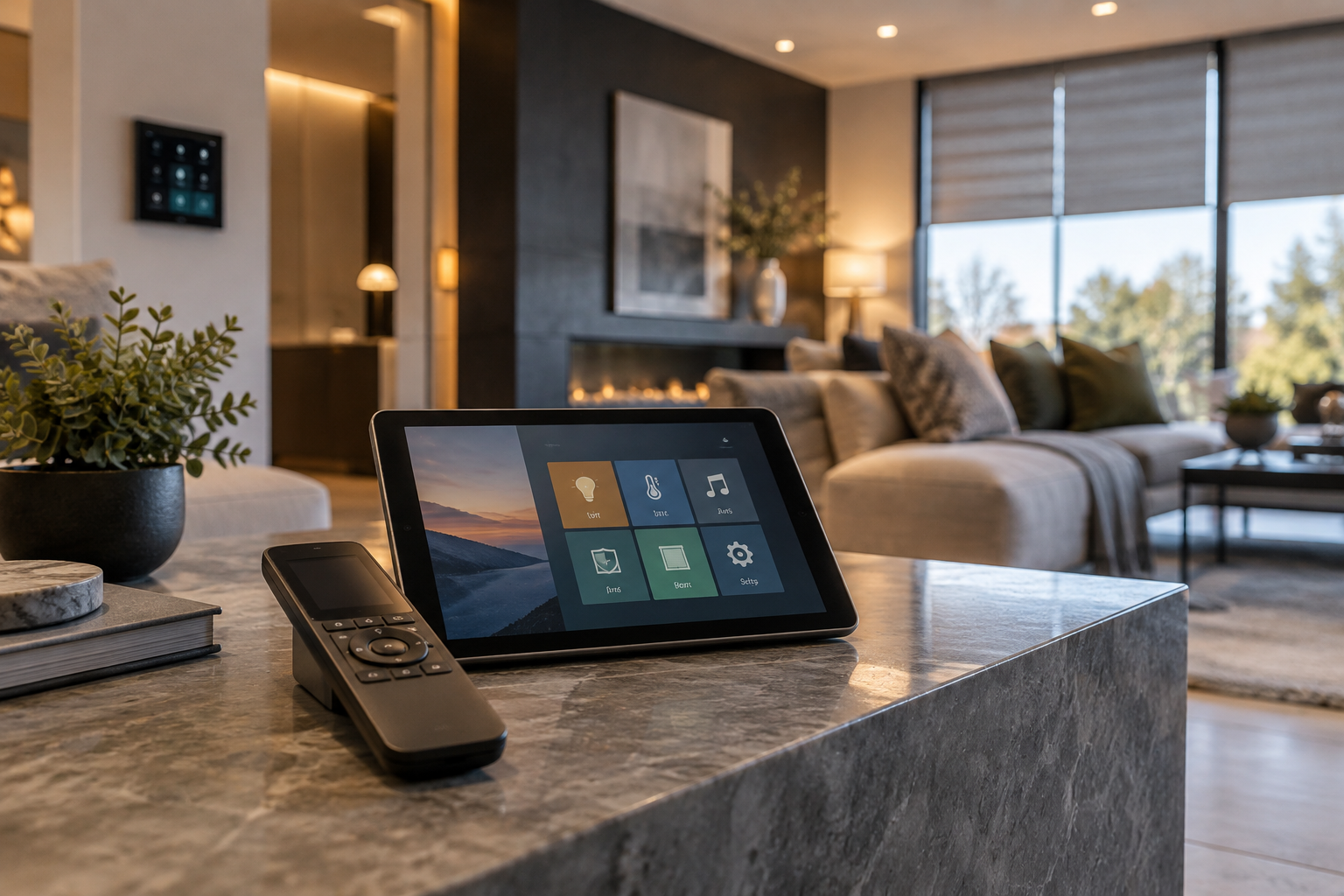
The new Custom UI Builder provides a visual editing environment with a live preview. AVA already creates interfaces from the equipment and connections recorded in a project; the builder lets installers alter that starting point rather than use the generated result unchanged. Those interfaces serve the AVA Cinema Remote and the AVA app across wall panels, tablets, PCs and Macs.
Crestron Home compatibility makes Cinema Remote an additional handheld option for projects using that platform. According to AVA, the integration exposes the appropriate controls and synchronises their state with Crestron touchscreens. The announcement therefore covers both access from the handheld and consistency between control surfaces, rather than command access alone. Related coverage examines Crestron Home’s native Multiview functionality.
The background
KNX support reaches general availability with this release, following its beta phase. That distinguishes its status from the newly announced Philips Hue and Crestron Home integrations: KNX was already being developed within the platform, but now moves beyond beta in AVA OS 3. For another development involving the standard, see the separate report on Vimar’s KNX Secure hotel access controls.
AVA is also extending its existing Lutron coverage. Caséta and RadioRA 2 join the supported systems, while RadioRA 3 and HomeWorks remain part of the platform’s compatibility offering. The change is an expansion across named Lutron product families, not the introduction of Lutron support for the first time. All four systems feature in the compatibility details accompanying the update announcement.
Philips Hue joins the platform with support for dimming and colour adjustment. AVA also connects the integration to its Dynamic Keypad, bringing Hue functions into the remote’s configurable tactile controls as well as the wider control interface. The manufacturer identifies these three elements—dimming, colour and keypad support—as the scope of the Hue addition, alongside the separate KNX and Lutron developments.
Interface design and control options
On Cinema Remote, AVA’s patented Dynamic Keypad uses tactile glass controls whose labels and actions follow the touchscreen view currently in use. AVA OS 3 opens that keypad to full customisation. Installers can edit the automatically produced layouts, select from recommended alternatives and change colours, extending the interface work beyond the touchscreen to the remote’s tactile control area.
FreeStyle provides another route to configuring the keypad: installers can drag a control from the main touchscreen into the keypad layout. AVA gives lighting scenes, frequently used commands and functions specific to an individual project as examples of what can be placed there. This is a distinct editing option alongside modifying generated layouts or choosing one of the recommended arrangements.
The release adds support for 31 languages, together with custom wallpapers and controls for font size. These additions address the wording, background and text presentation of the interface, separately from the placement of commands. They form part of the same release as the visual builder, giving installers several different settings through which to adjust how a project’s controls appear to its users.
AVA has redesigned the Flow Editor and added functions for shade tilt and up/down dimming. It has also revised the two-way volume overlays. These changes extend beyond the appearance tools: the announcement lists adjustments to editing, shade operation, lighting operation and volume feedback within the same software release. AVA does not attach performance figures to the volume overlay changes.
What people are saying
Raphael Oberholzer, AVA’s chief executive and co-founder, places installers’ knowledge of their clients at the centre of the update. His stated aim is to let professionals shape individual experiences while retaining the platform’s simplicity and consistency. That position explains the decision to keep automatically generated interfaces as a starting point, then provide a visual tool for installers to modify them.
Christie Fisher Barry, AVA’s head of design, describes the keypad’s purpose as combining the confidence of tactile operation with the flexibility of a touchscreen. Her comments focus on being able to use buttons without looking down while still allowing their functions to change. The design approach retains the remote’s tactile glass controls rather than making every interaction depend solely on the main screen.
For project management, AVA says encrypted backup and restore will be available without an additional charge. The company presents this as a complete-project function, rather than a way to save only an interface or selected settings. It is a separate part of the release from the customisation tools and addresses the project information installers need to retain when moving a configuration between AVA devices.
What happens next
AVA has scheduled the release for 15 September 2026. Compatible AVA OS systems will receive it through a free over-the-air software update, with the announcement also referring to the release as AVA OS 3.0. The stated availability is for compatible systems; the announcement does not provide a model-by-model eligibility list or separate regional release dates for installers to check against individual projects.
When using the backup function, installers will be able to restore a saved project onto different AVA hardware. AVA says the restored project retains both its device configuration and its authenticated drivers. Those retained elements are central to the announced transfer capability: the backup covers the configured project and driver authentication, rather than requiring an interface-only export as the basis for restoration.
Installation changes include quicker device addition, setup guidance accessed through QR codes, discovery of nearby Brain units and improvements to Wi-Fi pairing. AVA lists these as separate parts of the commissioning workflow. Together, they cover finding hardware, adding devices, accessing instructions and establishing wireless connections, although the company supplies no measured reduction in setup time or quantified comparison with the previous software.
For troubleshooting and ongoing support, the update introduces Network Event History and ToughLink Brain Connection, alongside an expanded set of service tools. These are the named service additions in the release, distinct from the discovery and pairing changes used during setup. AVA identifies them as support functions but does not provide further technical detail about their operation in the announcement.
Why this matters
For integrators, AVA OS 3 combines broader system coverage with more detailed control over what clients see and operate. Crestron Home, Hue, KNX and the additional Lutron families extend the announced integration options, while the interface builder and keypad tools support project-specific layouts. Encrypted restoration to different hardware also gives installers a way to retain project settings and driver authentication. The practical scope for each installation remains tied to compatible AVA systems.
Frequently asked questions
- When does AVA OS 3 come out?
- AVA OS 3 is scheduled for release on 15 September 2026 as an over-the-air update for compatible AVA OS systems.
- Is AVA OS 3 a free update?
- Yes. AVA says the software update is free for compatible systems. Encrypted project backup and restore also carries no additional charge.
- Can AVA Cinema Remote control Crestron Home?
- AVA OS 3 adds Crestron Home compatibility, allowing Cinema Remote to act as a handheld controller. AVA says control states remain synchronised with Crestron touchscreens.
- What Philips Hue controls does AVA OS 3 support?
- The Philips Hue integration supports dimming, colour adjustment and control through AVA’s Dynamic Keypad.
- Is KNX still in beta on AVA OS 3?
- No. KNX moves from beta to general availability with AVA OS 3.
- Which Lutron systems work with AVA OS 3?
- AVA OS 3 adds Caséta and RadioRA 2 support alongside the platform’s existing compatibility with RadioRA 3 and HomeWorks.
- Can installers customise the AVA Cinema Remote keypad?
- Yes. Installers can edit generated layouts, choose suggested alternatives, change colours or use FreeStyle to drag touchscreen controls onto the Dynamic Keypad.
- Can an AVA project backup be restored to different hardware?
- Yes. AVA says its encrypted backup and restore function can transfer a complete project to different AVA hardware while preserving device configurations and authenticated drivers.